
Gone. Changed. New.
Understand differences between test runs at a glance. Ship confidently knowing exactly what changed and why.
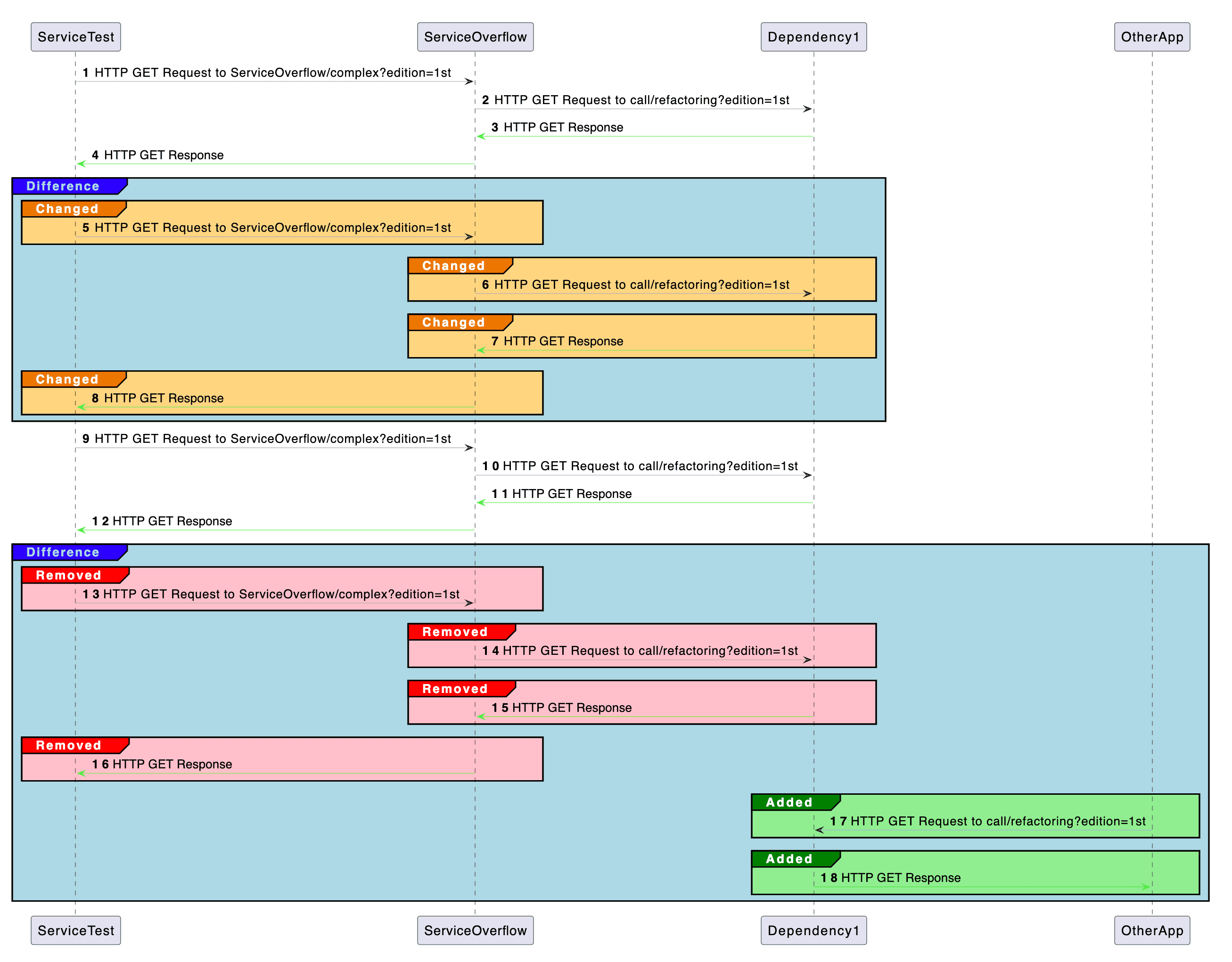
Spot regressions before they reach production
Automatic comparisons highlight removed or altered behaviours across releases.
Ignore noise with smart matching and stable identifiers.
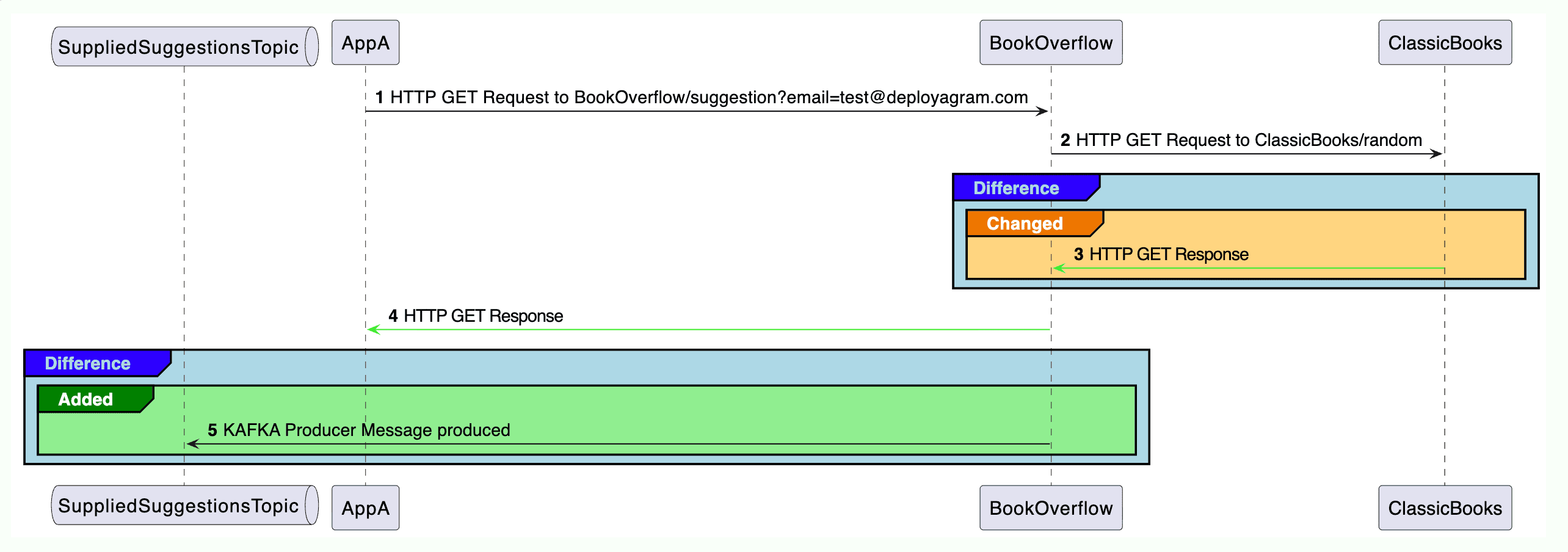
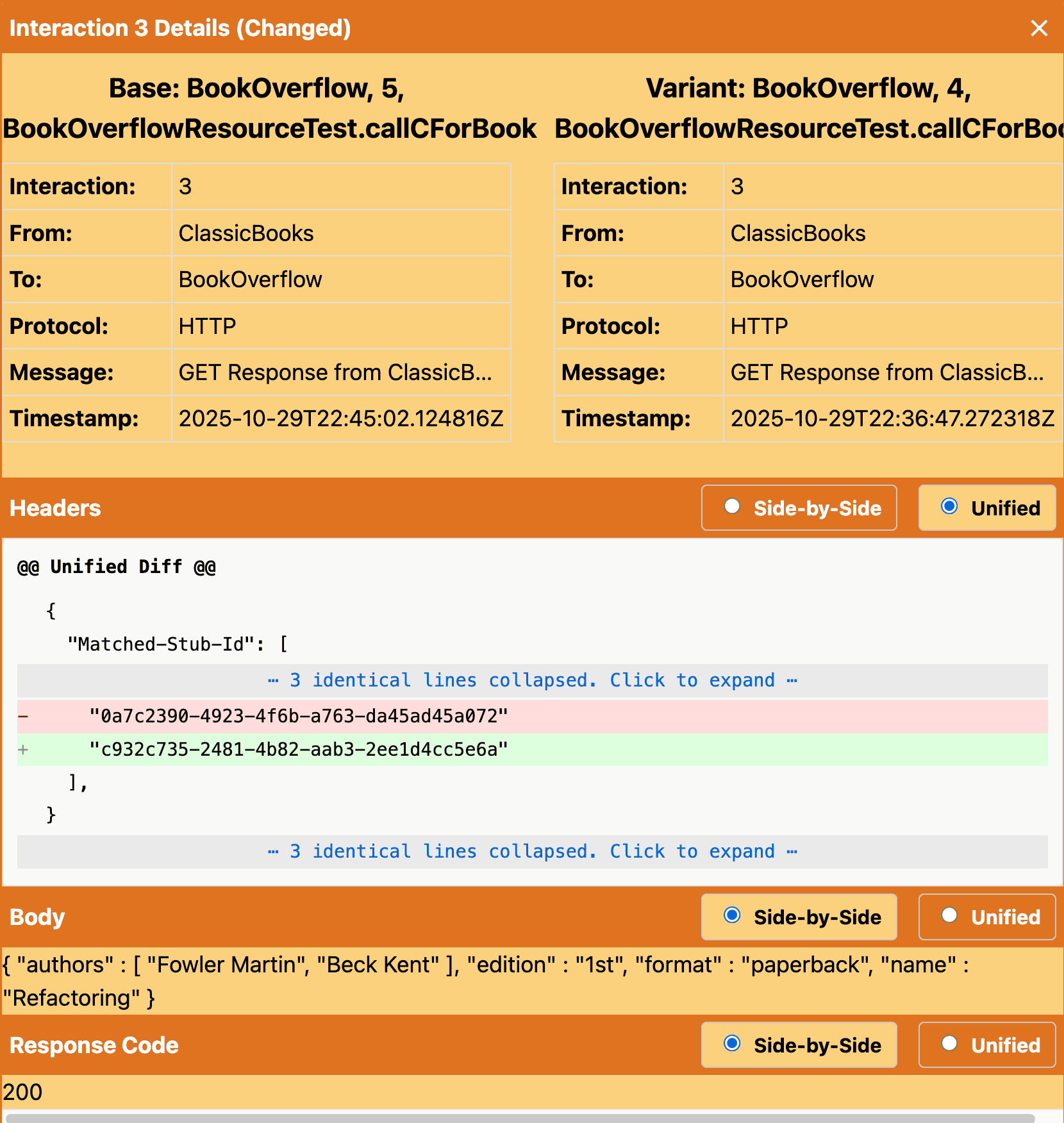
Drill into any change.
Click any interaction in the diagram to see exactly what’s changed — payloads, headers, status codes, timing, or ordering.
Differences are highlighted so you can review and share with your team.
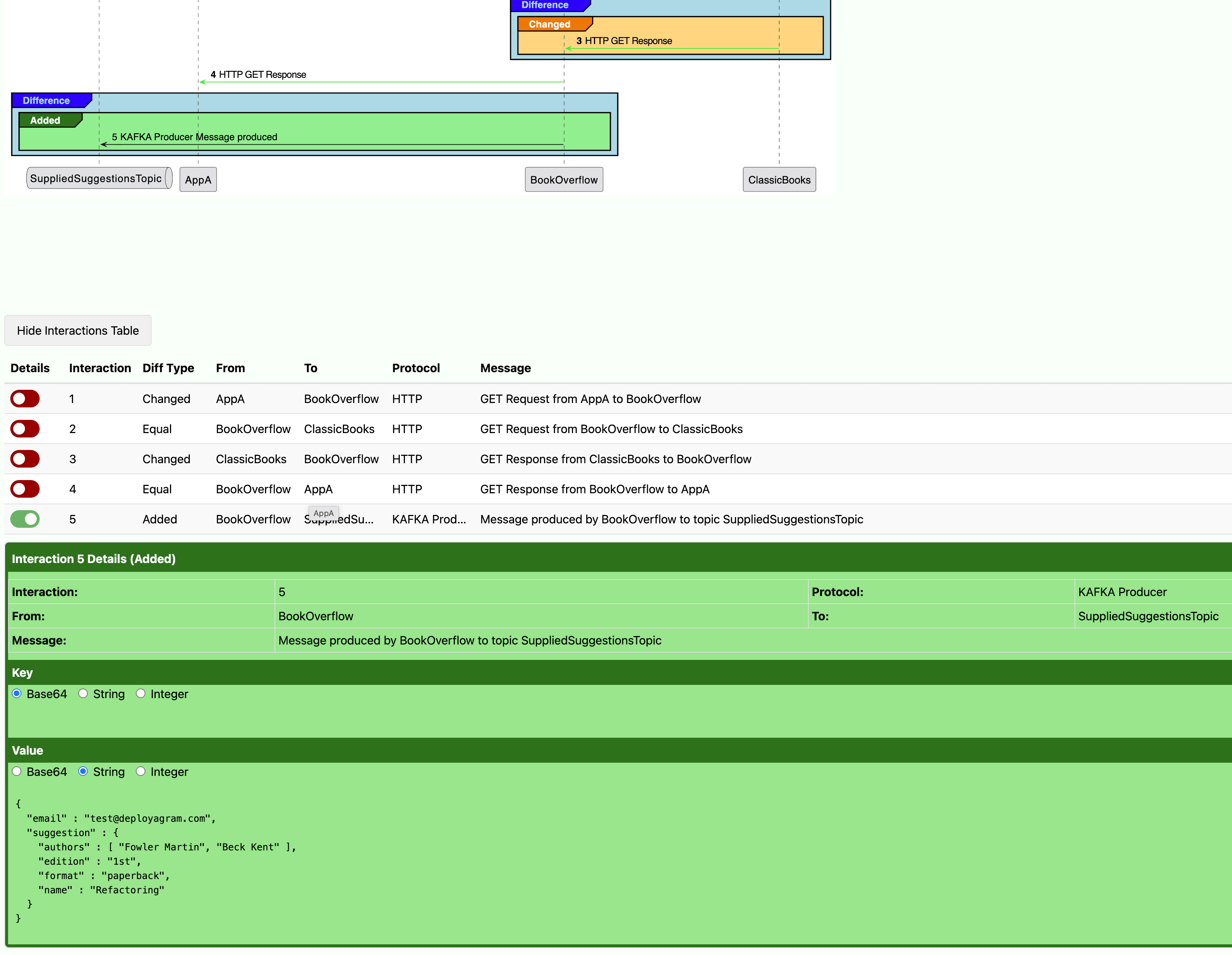
See interactions in a table.
Prefer tables? Switch to a concise list of every interaction and what changed — sortable and easy to scan.
Great for reviewing many changes quickly.